.webp?width=200&height=63&name=2025-09-22_Openlight%20Media%20Help%20Desk%20Logo%20(1).webp)
If your school, parish, or diocese already has a group subscription with Openlight Media Plus, you don't need to create a brand-new individual subscription or contact us to get set up — you can join your institution's existing group in just a few minutes. Follow the steps below.
Before You Start
Make sure you have the following on hand:
- Your institution's postal/zip code (used to locate your group)
- The email address you'd like associated with your account
Step-by-Step Instructions
1. Go to the Group Sign-Up Page
Open your browser and navigate to:
https://openlightmedia.com/join-my-plus-group/
This page hosts the directory of all active group subscriptions.
2. Search for Your Group
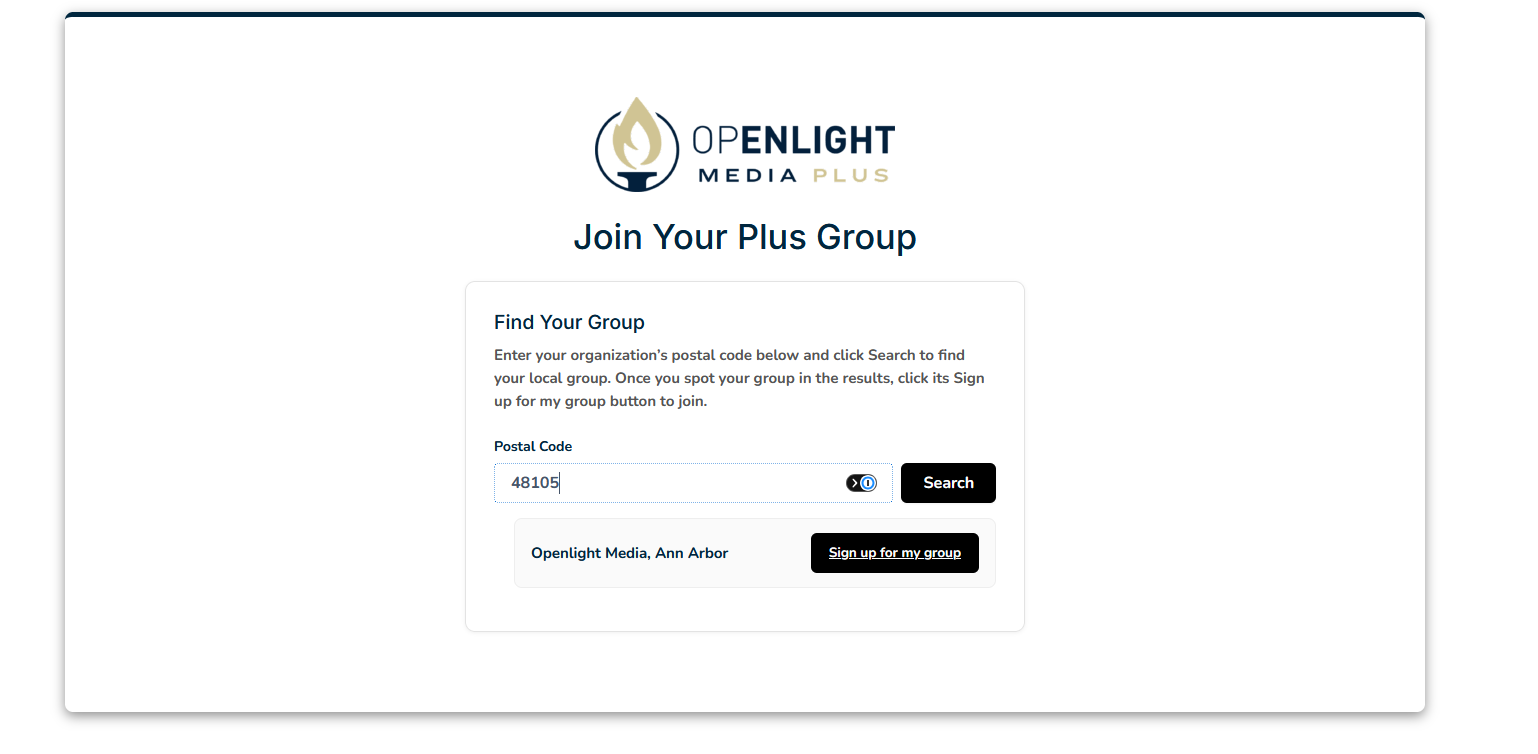
On the sign-up page, you'll see a search box. Enter your institution's postal/zip code to find your group. Searching by postal code helps ensure you find the exact location associated with your institution, especially if your organization has multiple campuses or branches in different areas.
Tip: If your search doesn't return a result, double-check that you've entered the correct postal code for your specific campus or branch location. If you're still unable to find your group, contact support (see below).
3. Locate Your Group's Sign-Up Button
Once your institution appears in the search results, look for the sign-up button associated with your group listing. This button is unique to your institution and links your registration directly to their active subscription.
4. Click the Sign-Up Button
Click the button next to your institutions name to proceed to your institution's dedicated registration page.
5. Complete the Registration Form
You'll be redirected to a sign-up form specific to your group. Fill in all required fields completely and accurately, including your name, email address, and any other information requested. This ensures your account is properly linked to your institution's subscription and that you receive access without delay.
6. You're All Set!
Once you've submitted the form, your registration is complete. You should receive a confirmation, and your account will be connected to your institution's group subscription. You can now log in and begin accessing your subscription content.
Need Help?
If you run into any issues finding your group, using the sign-up button, or completing your registration, our support team is happy to help.
- Contact Us: https://openlightmedia.com/contact-us/
- Email: customerservice@openlightmedia.com